Deutsch & English in einem Beitrag · German & English in one post
Deutsch direkt darunter · English further down
Stand · Version: Release v1 · 0.1.166 (Bilder: 0.1.241)
━━━━━━━━━━━━━━━━━━━━━━━━━━━━━━━━━━━━━━━━
DEUTSCH
Was ist Freewood?
Freewood ist eine Addon-Familie für OctoWoW (WoW-Client 1.12.1 mit ClassicAPI). Sie lernt beim Spielen mit: Quests, Kreaturen, Objekte, Items, Beute, Händler, Flugpunkte und sogar die Wege, die du läufst. Dazu kommen kleine Helfer für Begleiter, Beute, Händler und einen eigenen Briefkasten. Alles läuft über ein gemeinsames Hauptfenster (/fw), in dem jedes installierte Modul seinen eigenen Reiter hat.
Eine Startdatenbank wird mitgeliefert, damit du nicht bei null anfängst: rund 6000 Quest-Einzelheiten, Kreaturen, Beute, Wegenetze und Karten.
Die Spieler tauschen gelernte Daten untereinander über einen eigenen Chatkanal aus. Das ist standardmäßig an und lässt sich jederzeit abschalten: Codex-Einstellungen → Datenbank teilen → „Datenbank-Daten teilen“.
Installation
- Die gewünschten Ordner in den Ordner Interface\AddOns des Spiels kopieren.
- Core ist immer nötig. Die übrigen Module brauchen mindestens Core (siehe Abhängigkeiten bei jedem Modul).
- Spiel starten und /fw eingeben.
Die Module
Core – die Basis
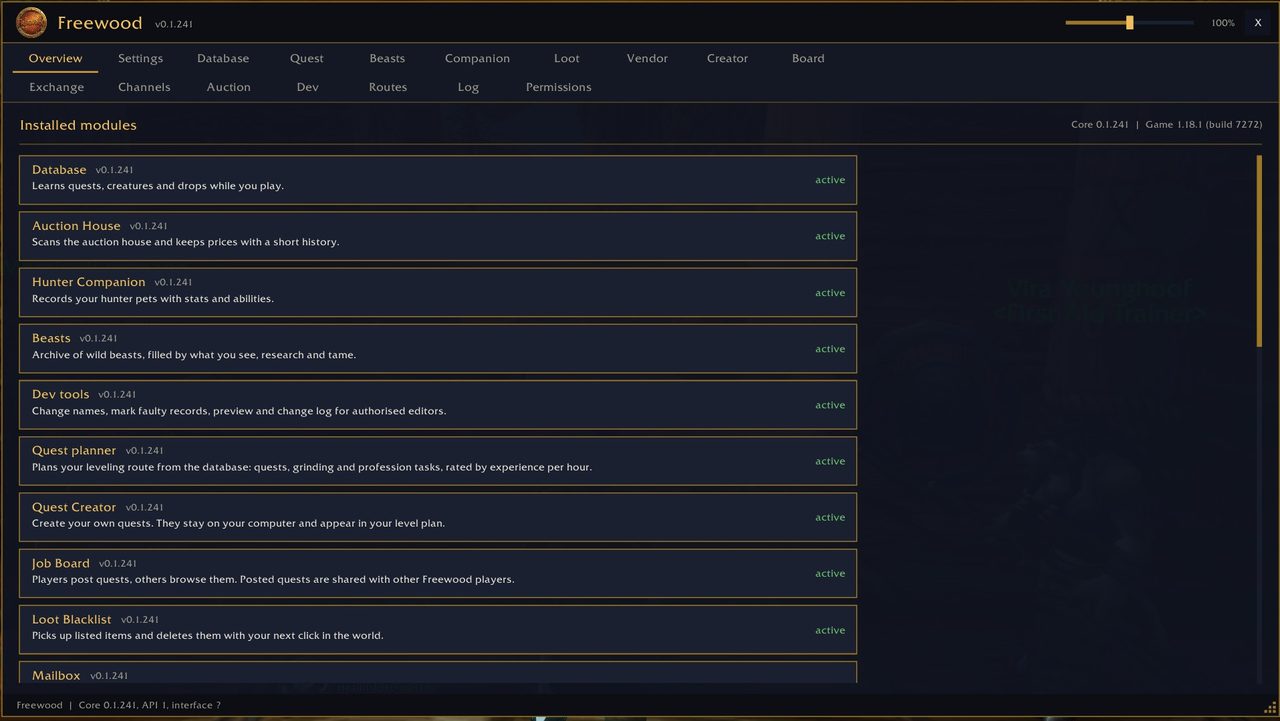
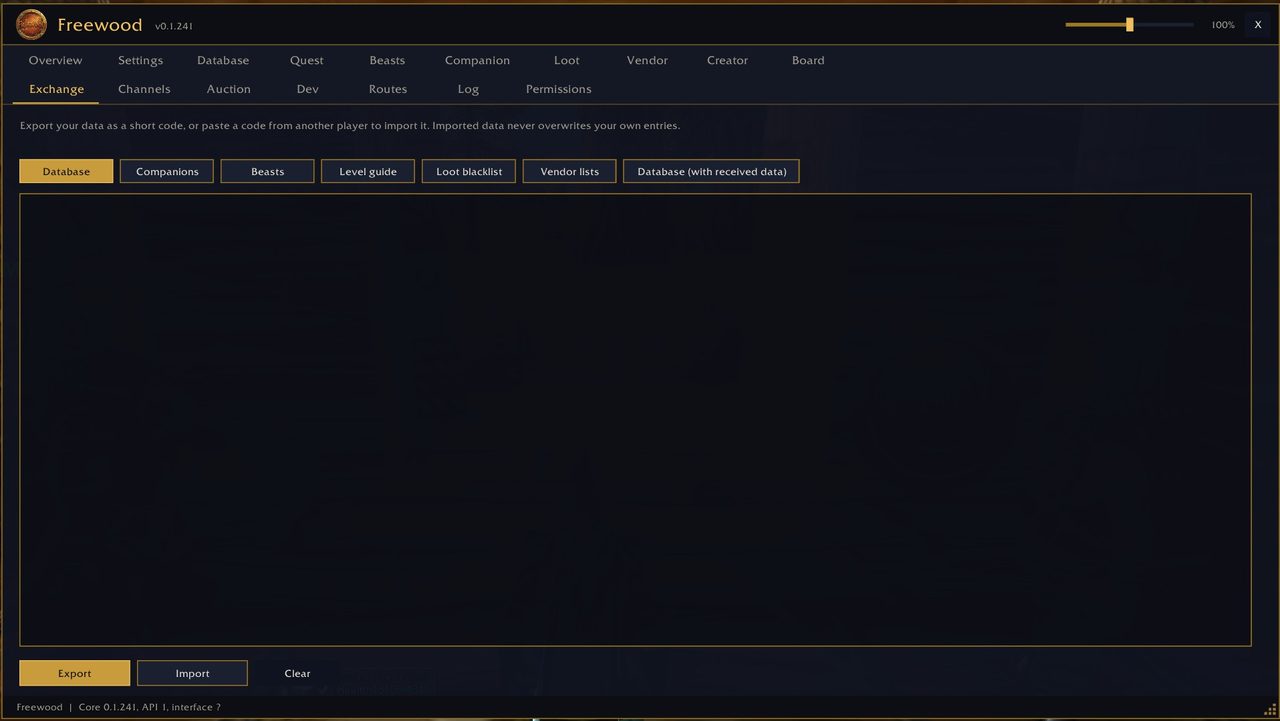
Grundlage aller Module: Datenspeicher, Hauptfenster, Einstellungen, Export/Import von Daten als Text und die Kompatibilitätsschicht für 1.12.1 + ClassicAPI.
Benötigt: nichts (alle anderen Module brauchen Core)
Download: Freewood-OctoWoW-Core
Codex – die Datenbank
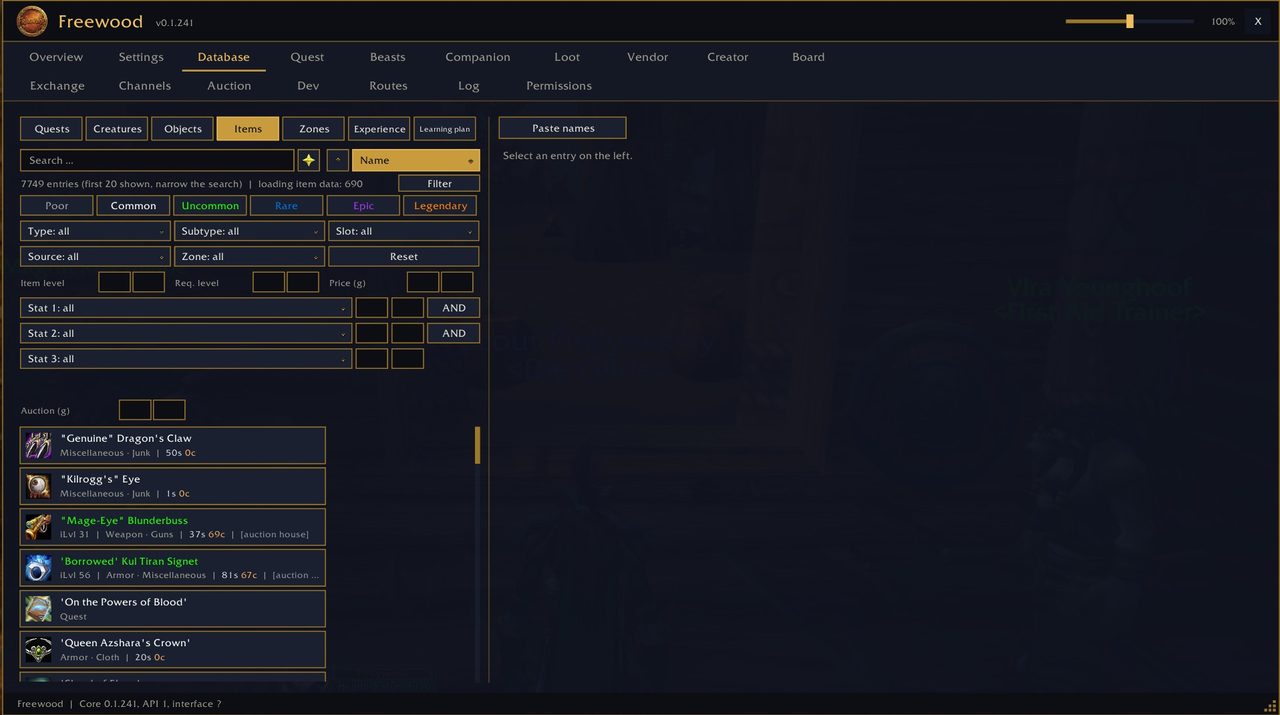
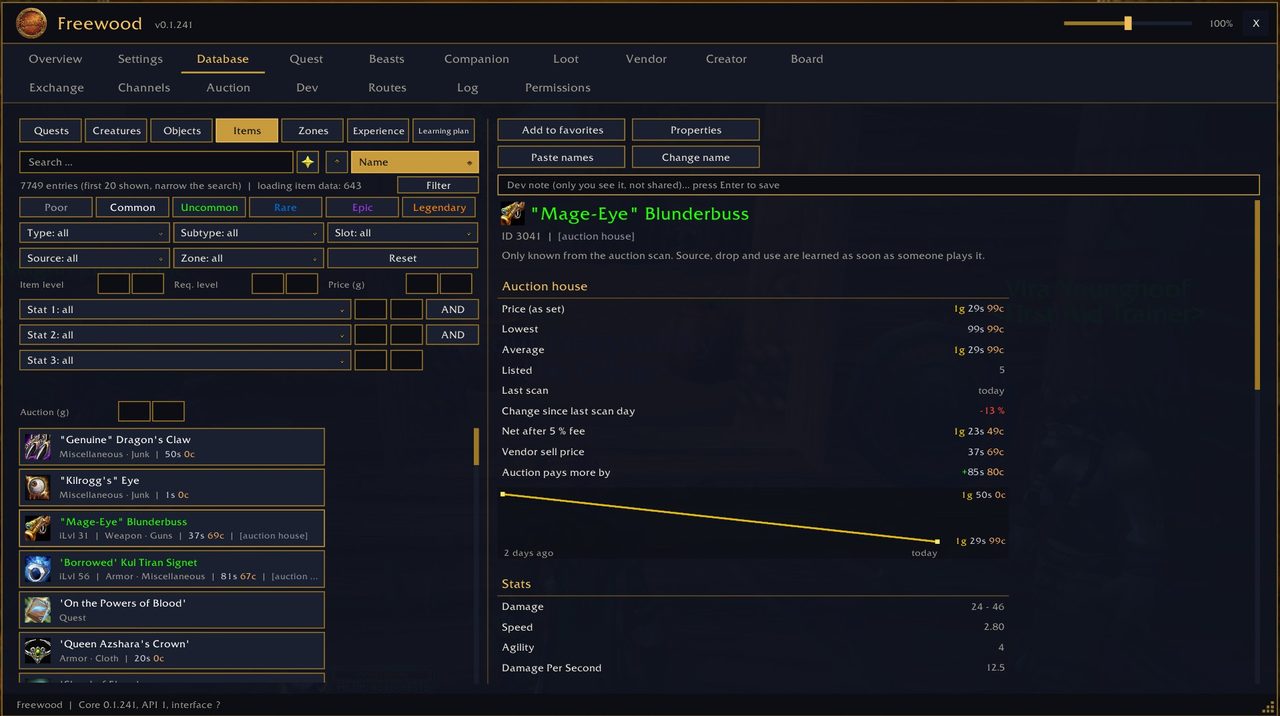
Lernt beim Spielen Quests, Kreaturen, Objekte, Items, Zonen und Beute: Geber und Abgabe, Belohnungen, Ziele, Drop-Chancen, Händler, Flugpunkte und Wege. Du kannst alles durchsuchen, bekommst einen Lernplan für deine Stufe und findest den nächsten Händler, Gastwirt oder Flugmeister. Auch Flugrouten (Dauer und Preis) merkt er sich.
Benötigt: Core · Optional: ForeverData (Startdaten)
Download: Freewood-OctoWoW-Codex
ForeverData – die Startdaten
Die mitgelieferte Startdatenbank (aus pfQuest/pfQuest-octo, MIT-Lizenz, dazu eigene Datensätze und 6090 Quest-Einzelheiten). Der Codex lädt sie bei Bedarf und ergänzt nur, was fehlt. Eigene Daten gehen immer vor. Mit /fwforever aus abschaltbar.
Benötigt: nichts · wird vom Codex genutzt, ist also nur zusammen mit ihm sinnvoll
Download: Freewood-OctoWoW-ForeverData
Beasts – das Tierarchiv
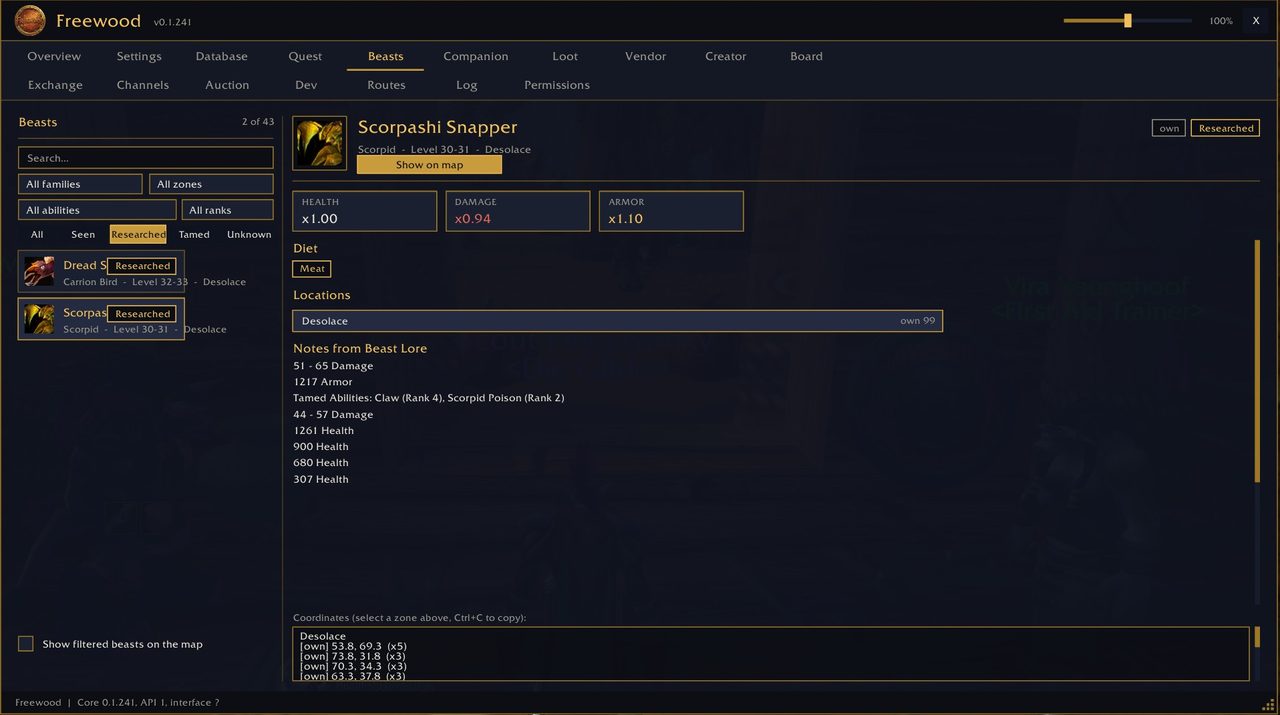
Archiv wilder Tiere: Lebensraum als Überlagerung auf der Karte, Nahrung und was Zähmen lehrt. Es füllt sich beim Spielen, lässt sich exportieren und importieren und mit der Gruppe oder dem Schlachtzug teilen.
Benötigt: Core und Pet · Optional: Codex
Download: Freewood-OctoWoW-Beasts
Pet – die Begleiter
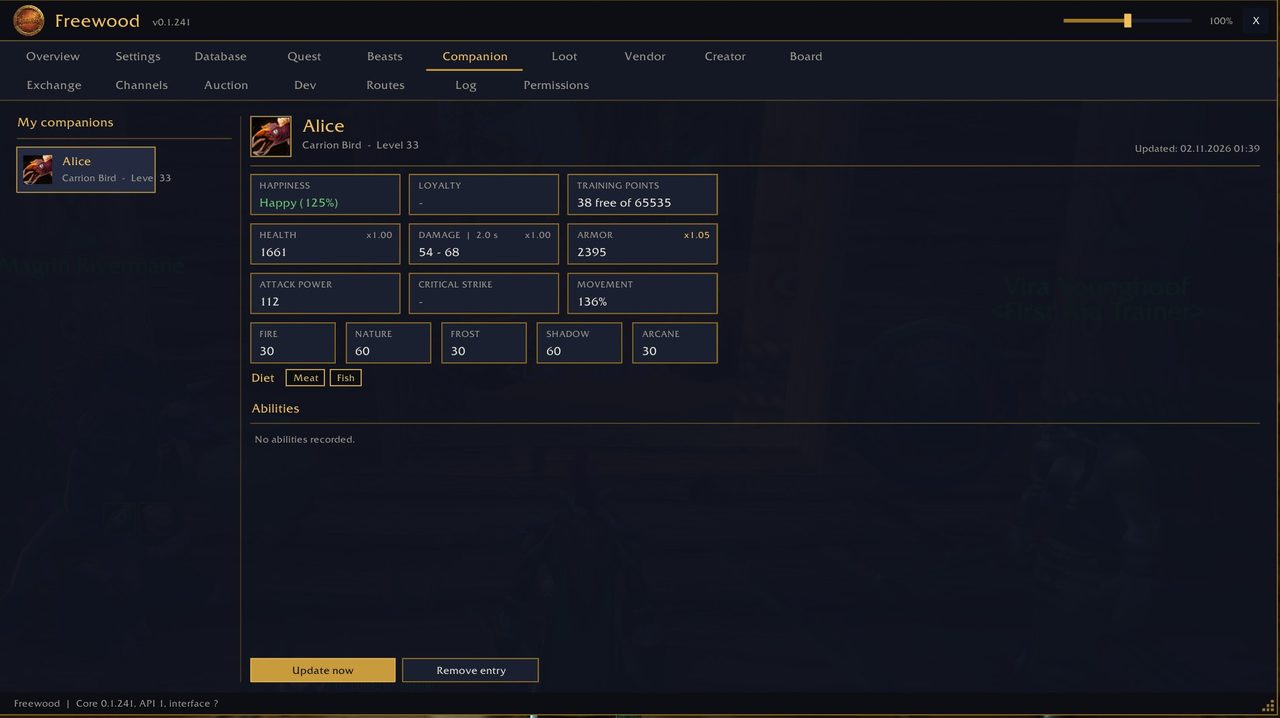
Erfasst deine Jäger-Begleiter mit Werten (Zufriedenheit, Treue, Trainingspunkte, Schaden, Rüstung, Resistenzen) und Fähigkeiten. Mit Export und Import ziehen sie auf einen anderen Charakter um.
Benötigt: Core
Download: Freewood-OctoWoW-Pet
Loot – die Beute-Blacklist
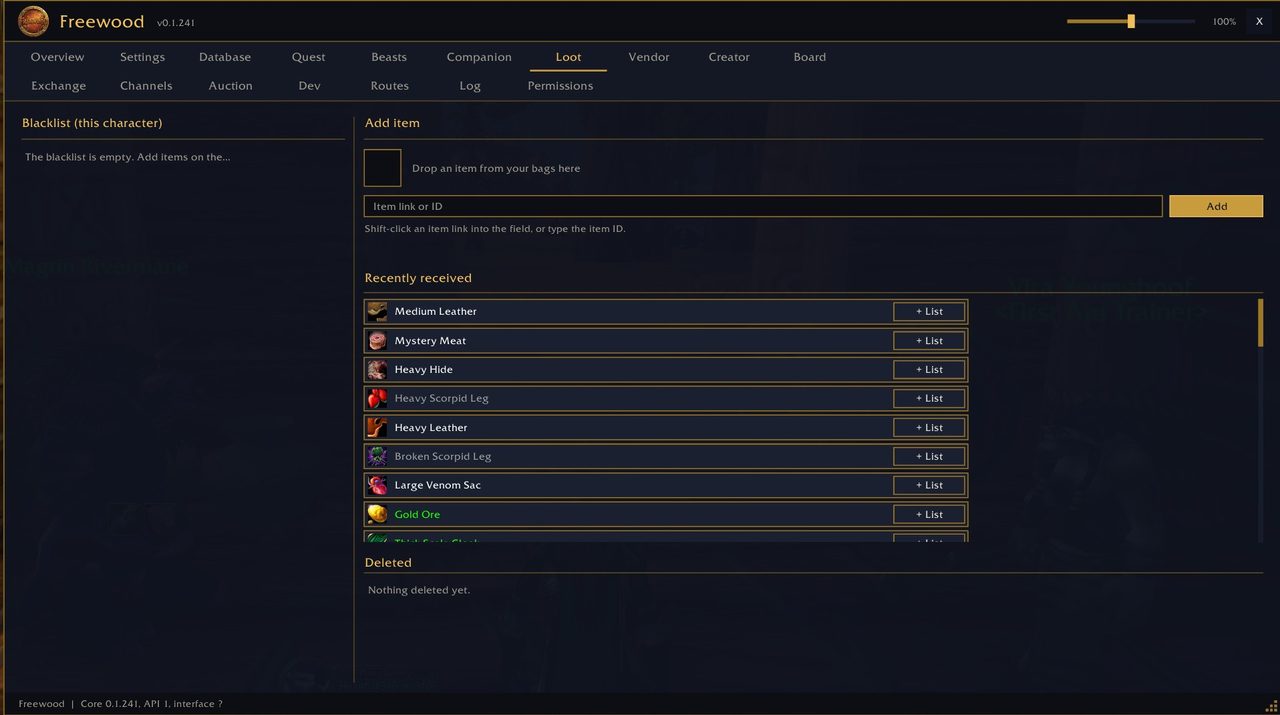
Items auf deiner Liste werden aus Beutefenstern automatisch mitgenommen und mit deinem nächsten Klick in der Spielwelt gelöscht. Die Liste gilt pro Charakter.
Benötigt: Core
Download: Freewood-OctoWoW-Loot
Vendor – die Händler-Listen
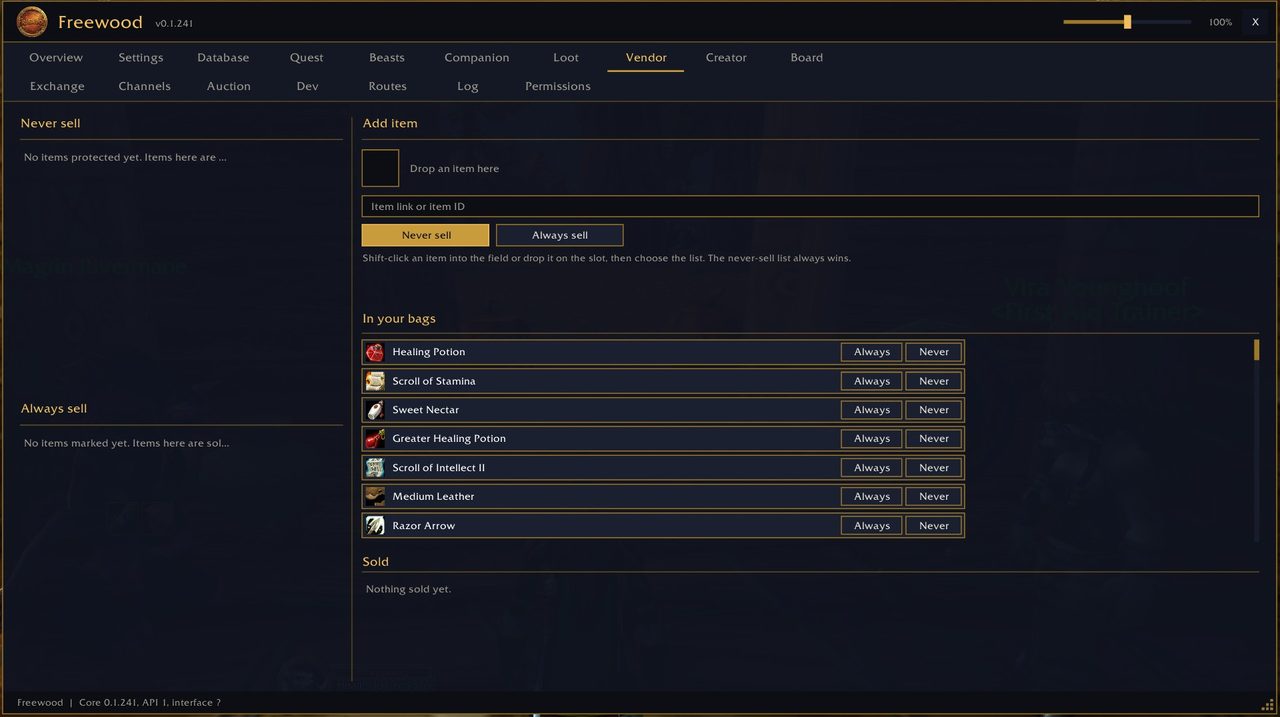
Zwei Listen: „Nie verkaufen“ und „Immer verkaufen“. Ein Knopf verkauft alles Markierte plus alle grauen Items. Der Knopf sitzt am Händlerfenster; automatisches Verkaufen beim Öffnen ist optional (Standard: aus). Die Nie-Liste gewinnt immer, Questitems werden nie verkauft.
Benötigt: Core
Download: Freewood-OctoWoW-Vendor
Mail – der Briefkasten
Ein eigenes Briefkasten-Fenster (optional, standardmäßig aus; einschalten mit /fwmail on): alles oder nur Ausgewähltes sicher öffnen, ein Taschenplatz bleibt immer frei, geleerte Briefe landen vorher in einem durchsuchbaren Archiv. Nachnahme-Briefe werden nie automatisch genommen, „Löschen“ schickt sie an den Absender zurück. Beim Senden: letzte Empfänger, mehrere Items, Gold, Nachnahme und Mailinglisten mit Automatik (auch Gold-Überschuss).
Benötigt: Core · Optional: Creator und Brett (Auftragsbriefe, nicht im Release)
Download: Freewood-OctoWoW-Mail
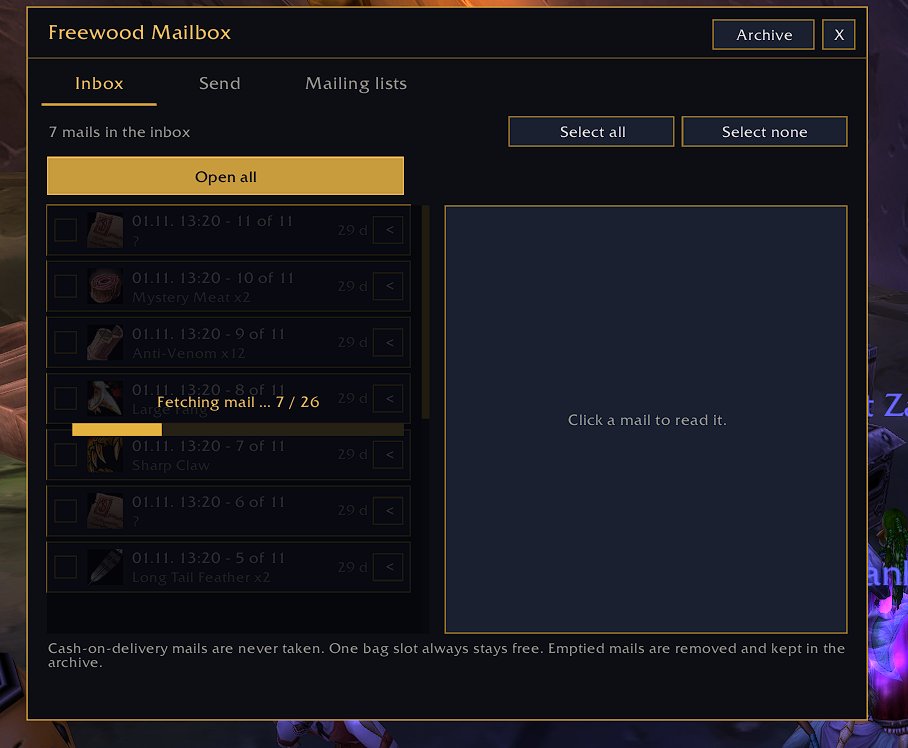
In Entwicklung (noch nicht im Release v1)
Die Bilder zeigen den Stand 0.1.241.
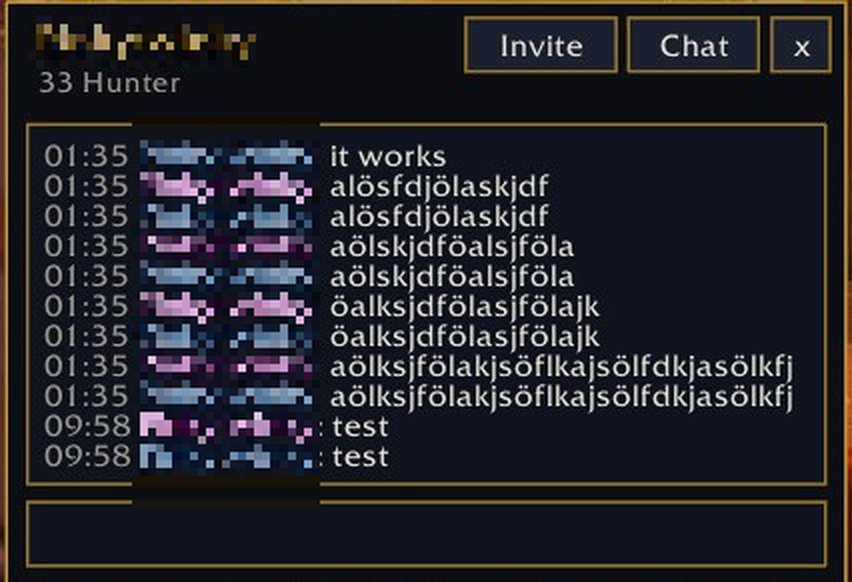
Kanäle (Core)
Chatfenster im Freewood-Stil: Kanäle in Kategorien, Gilde, Gruppe und Flüstern, Sprechblasen mit Klassensymbol und Stufe, Mitgliederliste, Suche über alle Kanäle, Kanäle beitreten und verlassen, Verlauf bis 7 Tage (Service-Kanäle und LFT werden nie gespeichert). Dazu kleine verschiebbare Flüsterfenster mit „Einladen“, die sich nie im Kampf öffnen.
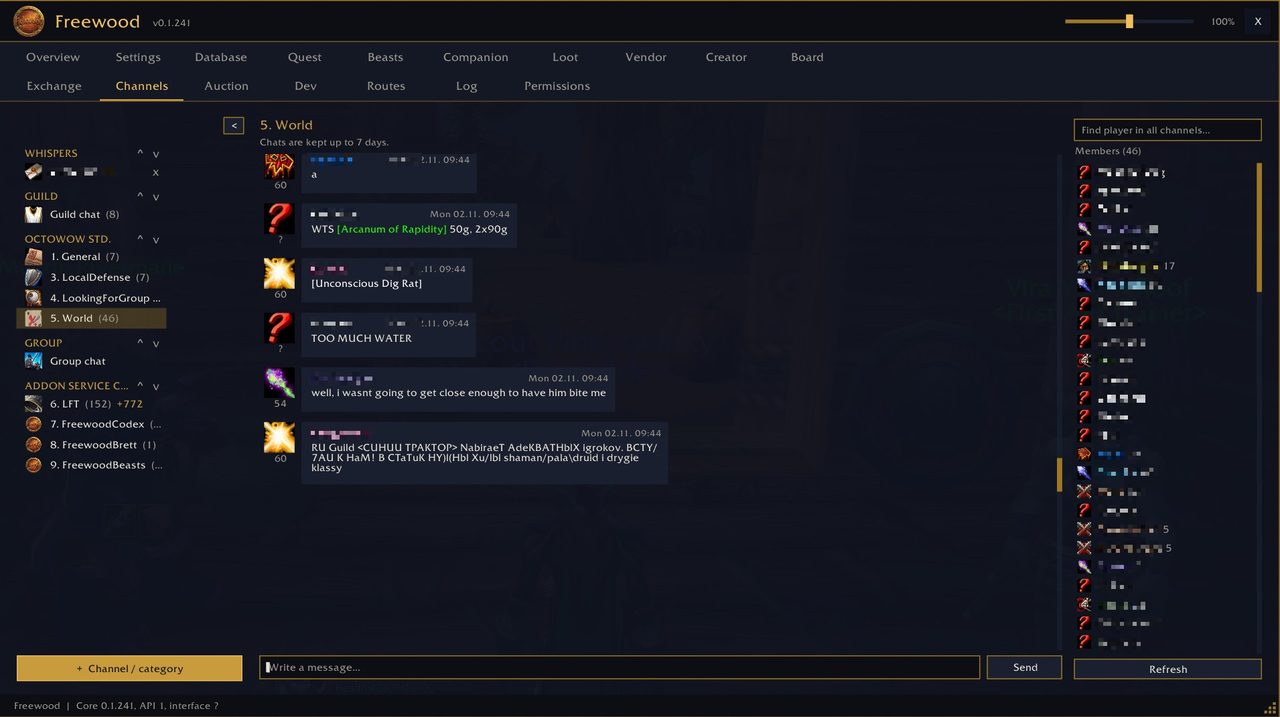
Creator – eigene Quests
Eigene Quests anlegen; sie bleiben auf deinem Rechner und erscheinen im Levelplan.
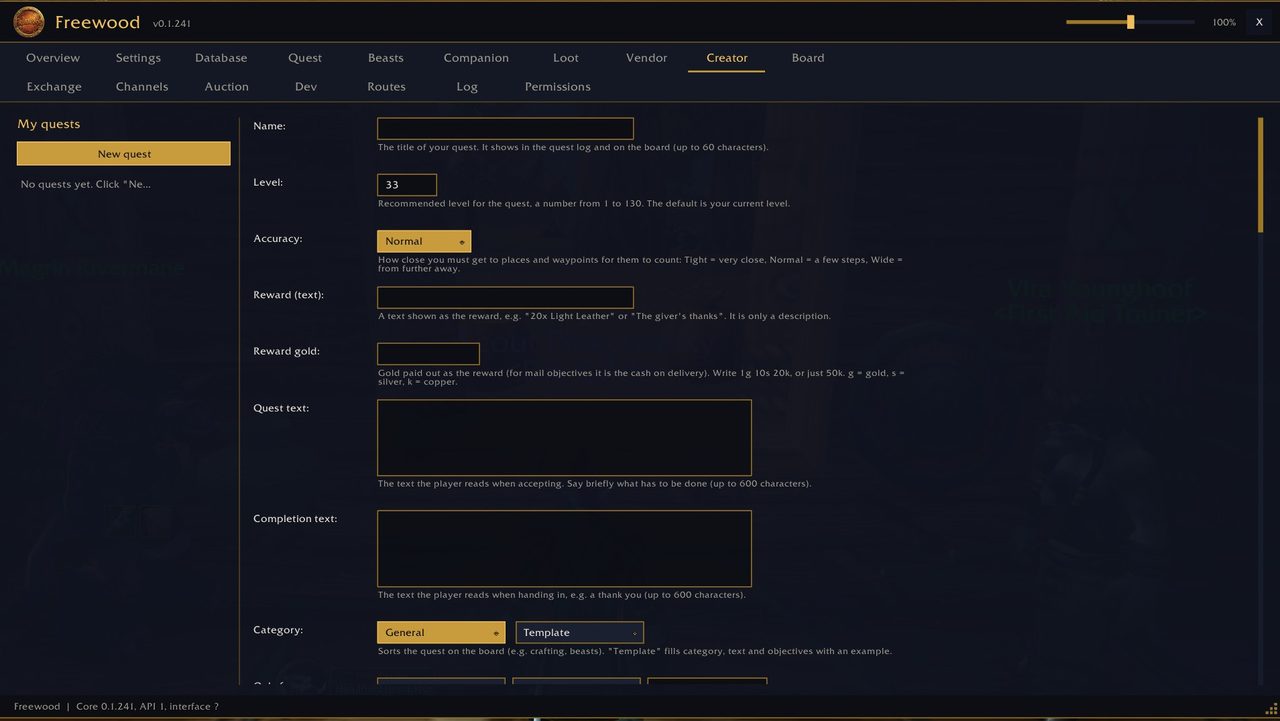
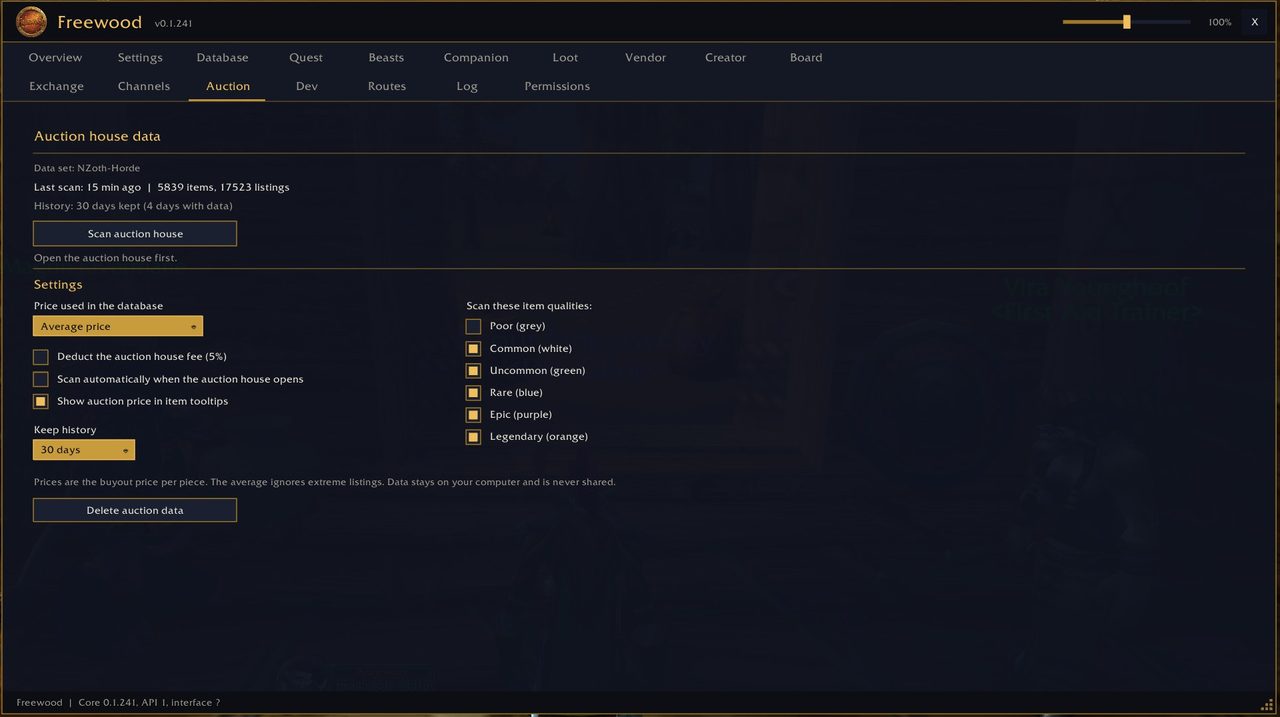
Auction – das Auktionshaus
Scannt das Auktionshaus, merkt Preise mit kurzem Verlauf und zeigt sie in Datenbank und Tooltips.
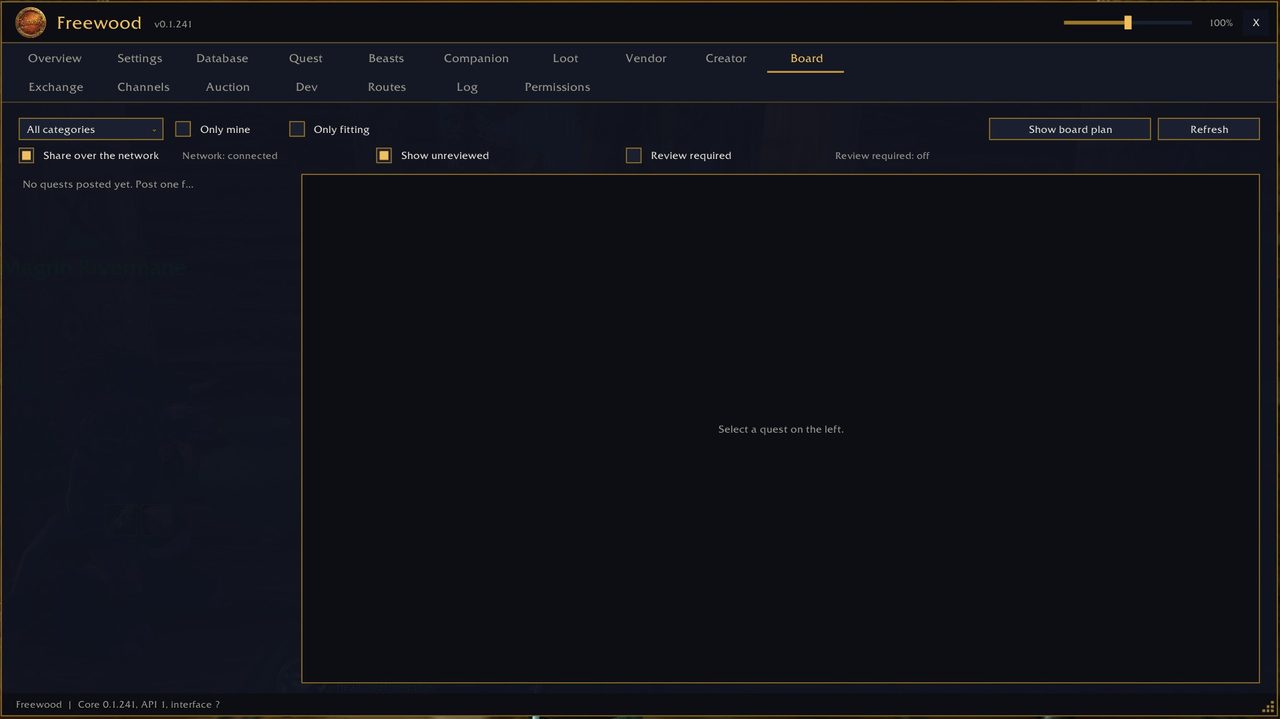
Brett – das Auftragsbrett
Spieler stellen Aufträge ein, andere blättern darin. Aufträge werden mit anderen Freewood-Spielern geteilt.
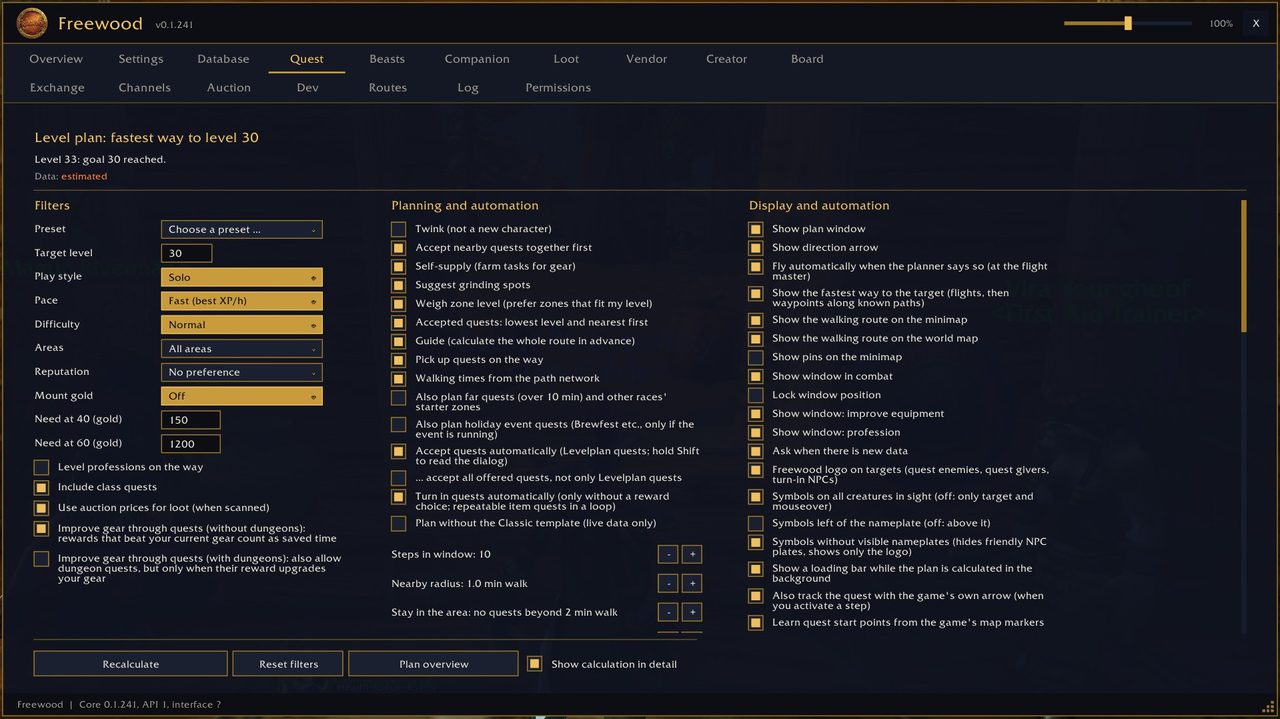
Quest – der Levelplaner
Plant deinen Levelweg aus der Datenbank: Quests, Grinden und Berufs-Aufträge, bewertet nach Erfahrung pro Stunde, mit schnellstem Weg, Laufweg auf Karte und Minikarte und Pfeil.
Abhängigkeiten auf einen Blick
Code: Select all
Modul        Benötigt        Optional
-----------  --------------  -----------
Core         -               -
Codex        Core            ForeverData
ForeverData  -               (vom Codex genutzt)
Beasts       Core, Pet       Codex
Pet          Core            -
Loot         Core            -
Vendor       Core            -
Mail         Core            Creator, Brett
━━━━━━━━━━━━━━━━━━━━━━━━━━━━━━━━━━━━━━━━
ENGLISH
What is Freewood?
Freewood is a family of addons for OctoWoW (WoW client 1.12.1 with ClassicAPI). It learns while you play: quests, creatures, objects, items, loot, vendors, flight points and even the paths you walk. Small helpers for companions, loot, vendors and its own mailbox come on top. Everything runs through one shared main window (/fw), where every installed module has its own tab.
A start database is included so you do not begin from zero: about 6000 quest details, creatures, loot, path networks and maps.
Players exchange learned data with each other through their own chat channel. This is on by default and can be switched off at any time: Codex settings → Share database → "Share database data".
Installation
- Copy the folders you want into the game's Interface\AddOns folder.
- Core is always required. The other modules need at least Core (see the dependencies under each module).
- Start the game and type /fw.
The modules
Core – the foundation
Foundation of all modules: data storage, main window, settings, export/import of data as text, and the compatibility layer for 1.12.1 + ClassicAPI.
Requires: nothing (all other modules need Core)
Download: Freewood-OctoWoW-Core
Codex – the database
Learns quests, creatures, objects, items, zones and loot while you play: givers and turn-ins, rewards, objectives, drop chances, vendors, flight points and paths. Search everything, get a learning plan for your level and find the nearest vendor, inn or flight master. It also remembers flight routes (duration and price).
Requires: Core · Optional: ForeverData (start data)
Download: Freewood-OctoWoW-Codex
ForeverData – the start data
The bundled start database (from pfQuest/pfQuest-octo, MIT license, plus own records and 6090 quest details). The Codex loads it on demand and fills in only what is missing. Your own data always wins. Switch off with /fwforever aus.
Requires: nothing · used by the Codex, so it only makes sense together with it
Download: Freewood-OctoWoW-ForeverData
Beasts – the beast archive
Archive of wild beasts: habitat as a map overlay, diet and what taming teaches. It fills while you play, can be exported and imported, and shared with your group or raid.
Requires: Core and Pet · Optional: Codex
Download: Freewood-OctoWoW-Beasts
Pet – the companions
Records your hunter companions with stats (happiness, loyalty, training points, damage, armour, resistances) and abilities. Export and import move them to another character.
Requires: Core
Download: Freewood-OctoWoW-Pet
Loot – the loot blacklist
Items on your list are picked up automatically from loot windows and deleted with your next click in the game world. The list is per character.
Requires: Core
Download: Freewood-OctoWoW-Loot
Vendor – the vendor lists
Two lists: "Never sell" and "Always sell". One button sells everything marked plus all gray items. The button sits on the vendor window; selling automatically when the window opens is optional (default: off). The never-list always wins, quest items are never sold.
Requires: Core
Download: Freewood-OctoWoW-Vendor
Mail – the mailbox
Its own mailbox window (optional, off by default; switch on with /fwmail on): open all or only selected mails safely, one bag slot always stays free, emptied mails are saved in a searchable archive first. Cash-on-delivery mails are never taken automatically, "Delete" returns them to the sender. When sending: recent recipients, several items, gold, cash on delivery and mailing lists with automation (including gold surplus).
Requires: Core · Optional: Creator and Brett (quest letters, not in the release)
Download: Freewood-OctoWoW-Mail
In development (not yet in Release v1)
The pictures show version 0.1.241.
Channels (Core)
Chat window in the Freewood style: channels in categories, guild, group and whispers, speech bubbles with class icon and level, member list, search across all channels, join and leave channels, history up to 7 days (service channels and LFT are never saved). Plus small movable whisper windows with "Invite" that never open in combat.
Creator – own quests
Create your own quests; they stay on your computer and appear in your level plan.
Auction – the auction house
Scans the auction house, keeps prices with a short history and shows them in the database and tooltips.
Board – the job board
Players post quests, others browse them. Posted quests are shared with other Freewood players.
Quest – the level planner
Plans your leveling route from the database: quests, grinding and profession tasks rated by experience per hour, with the fastest way, walking route on map and minimap, and an arrow.
Dependencies at a glance
Code: Select all
Module       Requires        Optional
-----------  --------------  -----------
Core         -               -
Codex        Core            ForeverData
ForeverData  -               (used by Codex)
Beasts       Core, Pet       Codex
Pet          Core            -
Loot         Core            -
Vendor       Core            -
Mail         Core            Creator, Brett
 Is it possible to show how it works or what it does with a video or just tell us "real world" use?
 1 Hour

 Now I feel obligated to watch the whole thing—especially since you mentioned me in it... thank you!

 I will definitely download it and give it a try, my only concern is what my potato PC is gonna do with it.
